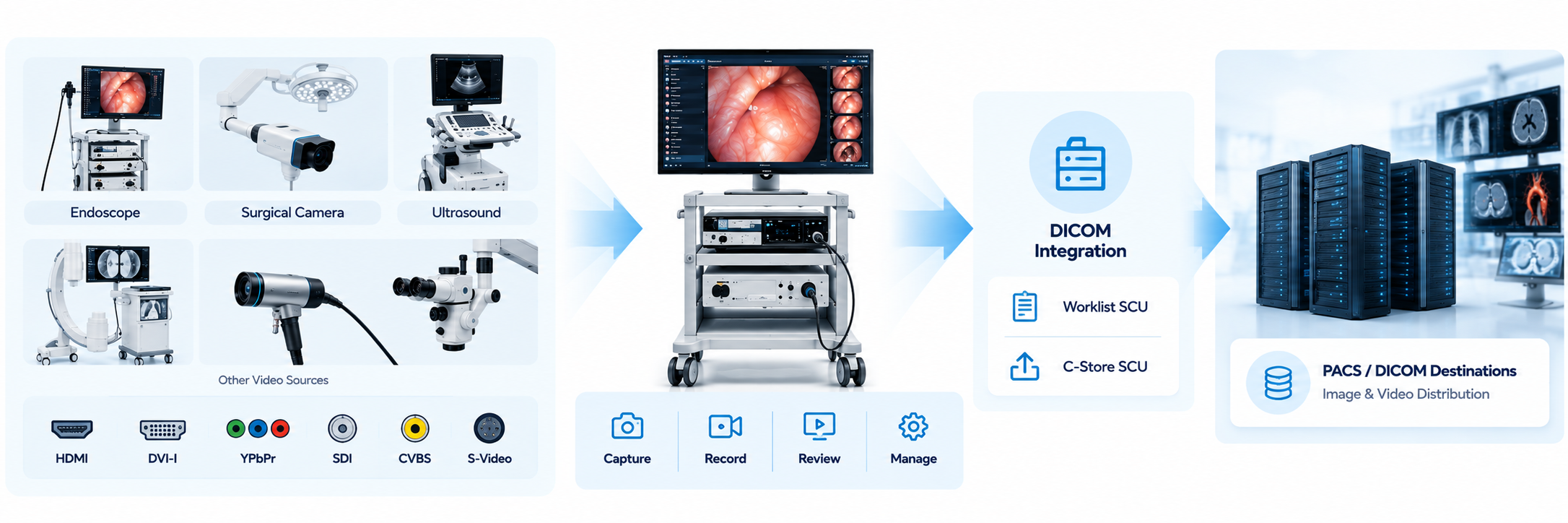
ISV-Report
Web-Based Clinical Reporting Solution
ISV-REPORT OVERVIEW
Integrated Clinical Reporting in One Workflow
ISV-Report brings medical images, clinical findings and report creation together in a connected reporting workflow, with integrated image annotation and customizable report templates.
Customizable Report Templates
Configure report templates, fields and layouts to support different clinical requirements.
Integrated Reporting Workflow
Manage images, findings and report in one connected workflow.
Image Annotation
Add text, lines and shapes directly to medical images for inclusion in clinical reports.
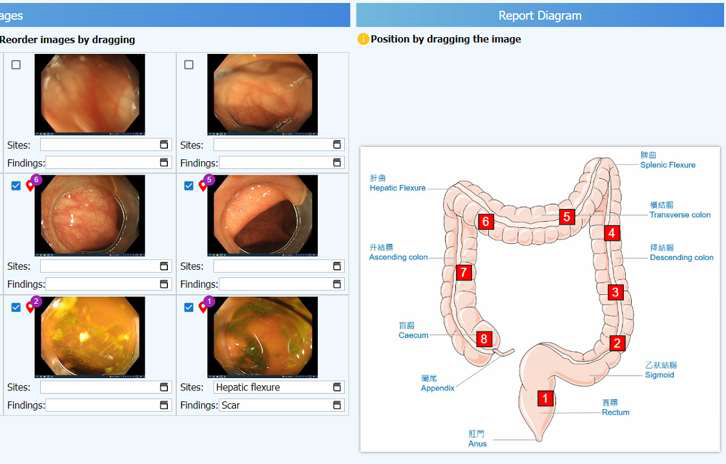
REPORT SAMPLES
Customizable Clinical Report Templates
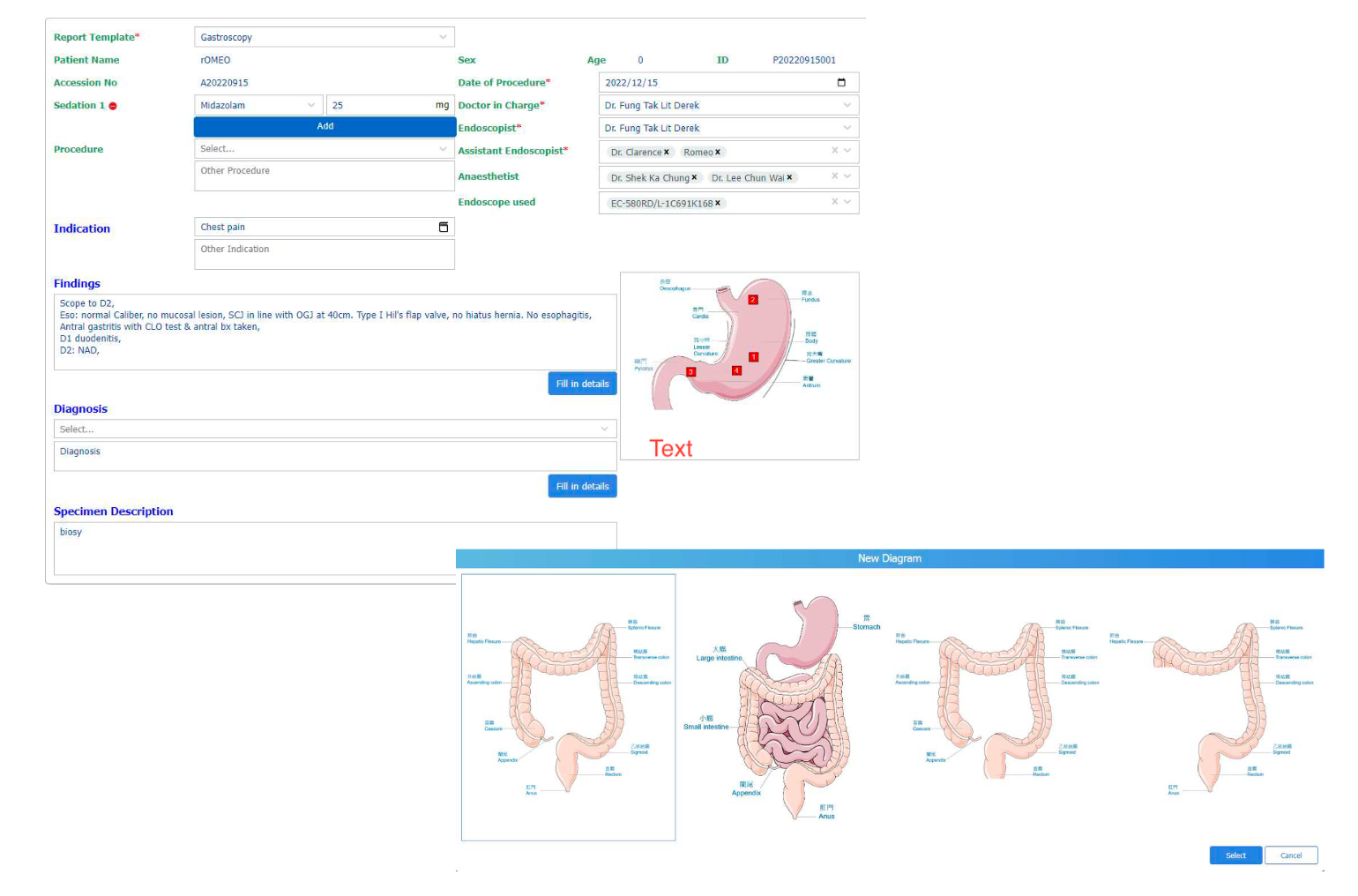
ISV-Report supports structured report templates that integrate patient information, clinical findings and medical images within a single report.
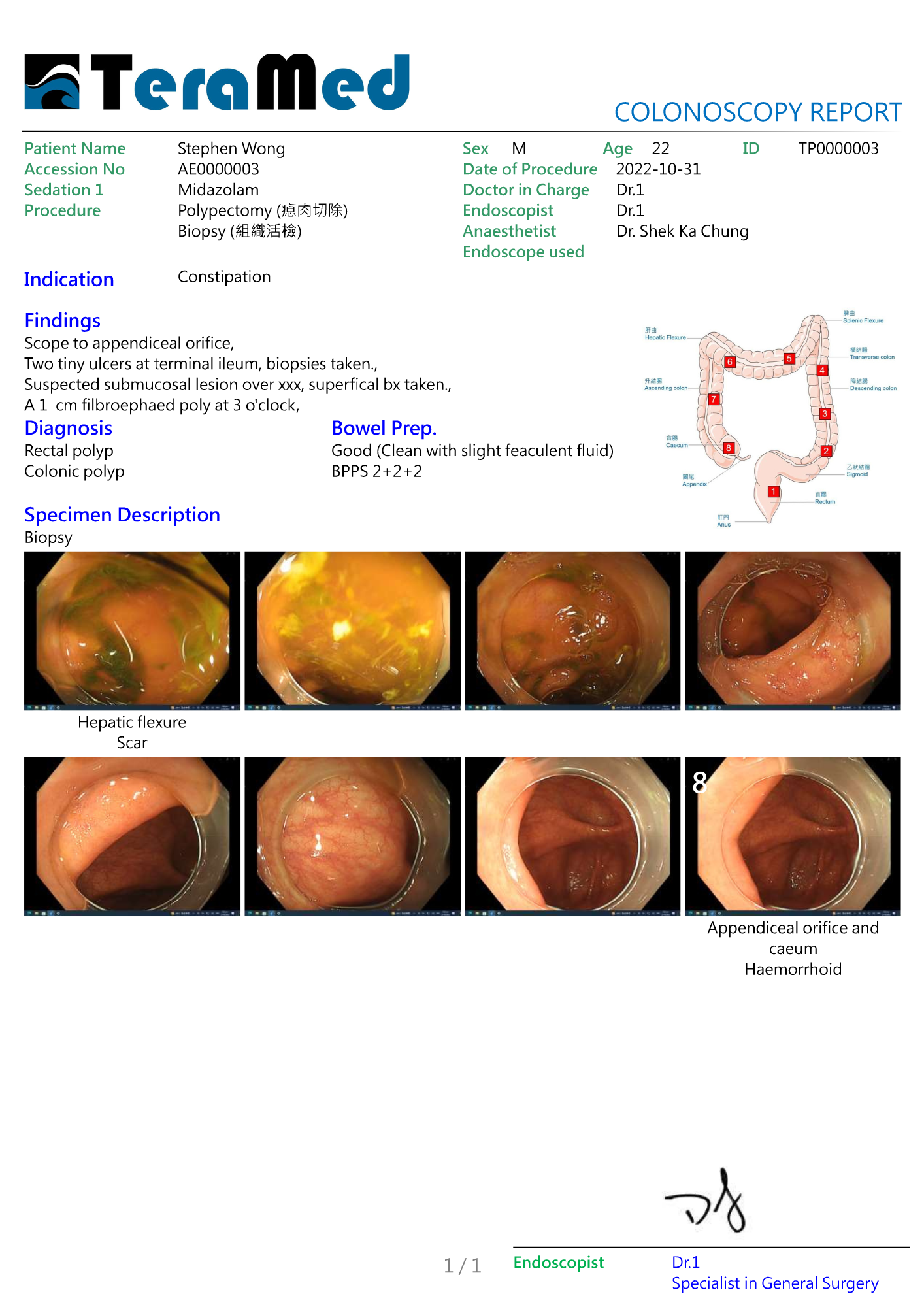
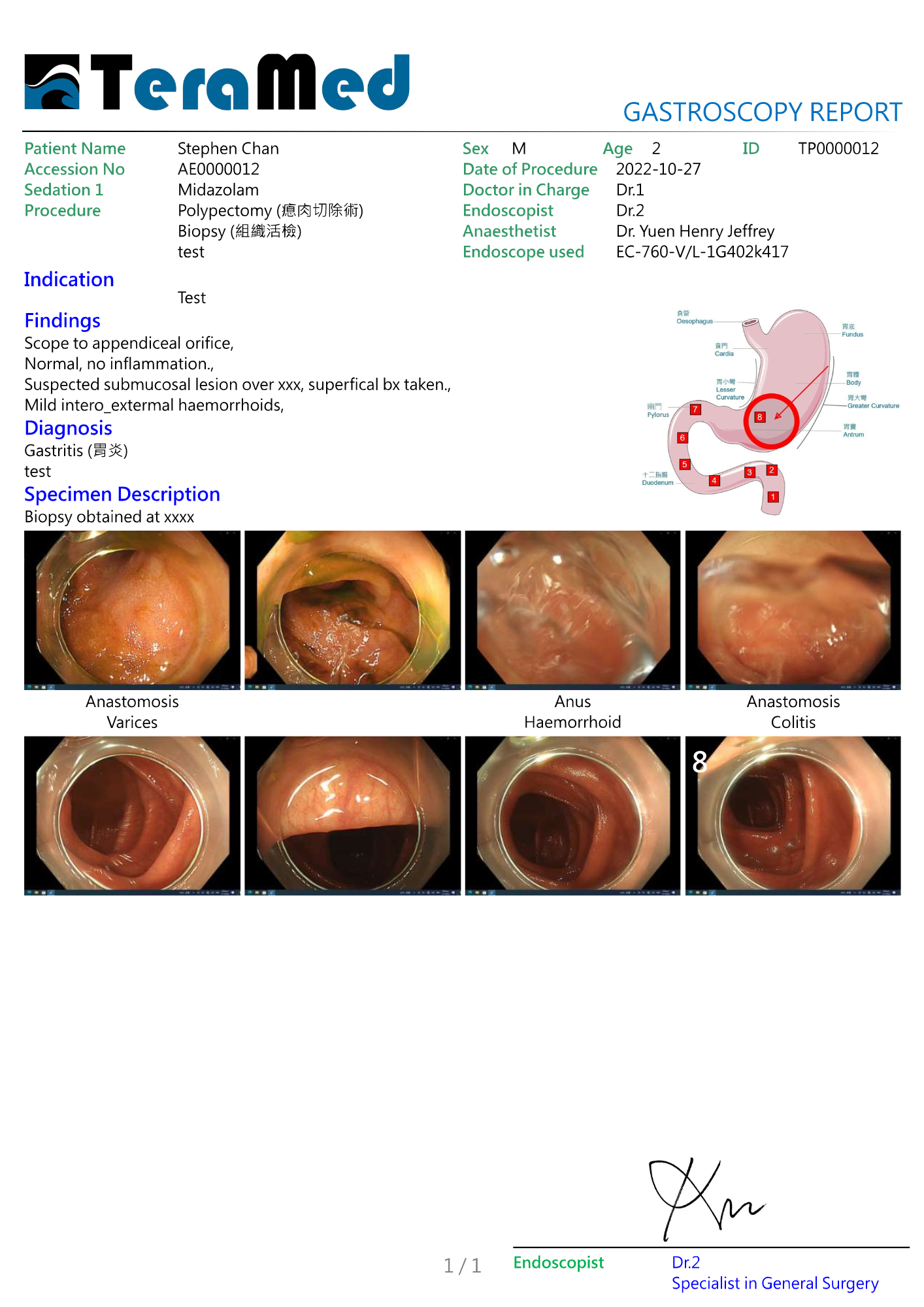
REPORT TEMPLATES
Flexible Report Templates
ISV-Report provides predefined templates for clinical procedures such as gastroscopy and colonoscopy, with the flexibility to create custom templates for specific reporting requirements.
WEB-BASED ACCESS
Access Reports Through Your Browser
Manage and review clinical reports through a browser-based interface within your connected clinical environment.
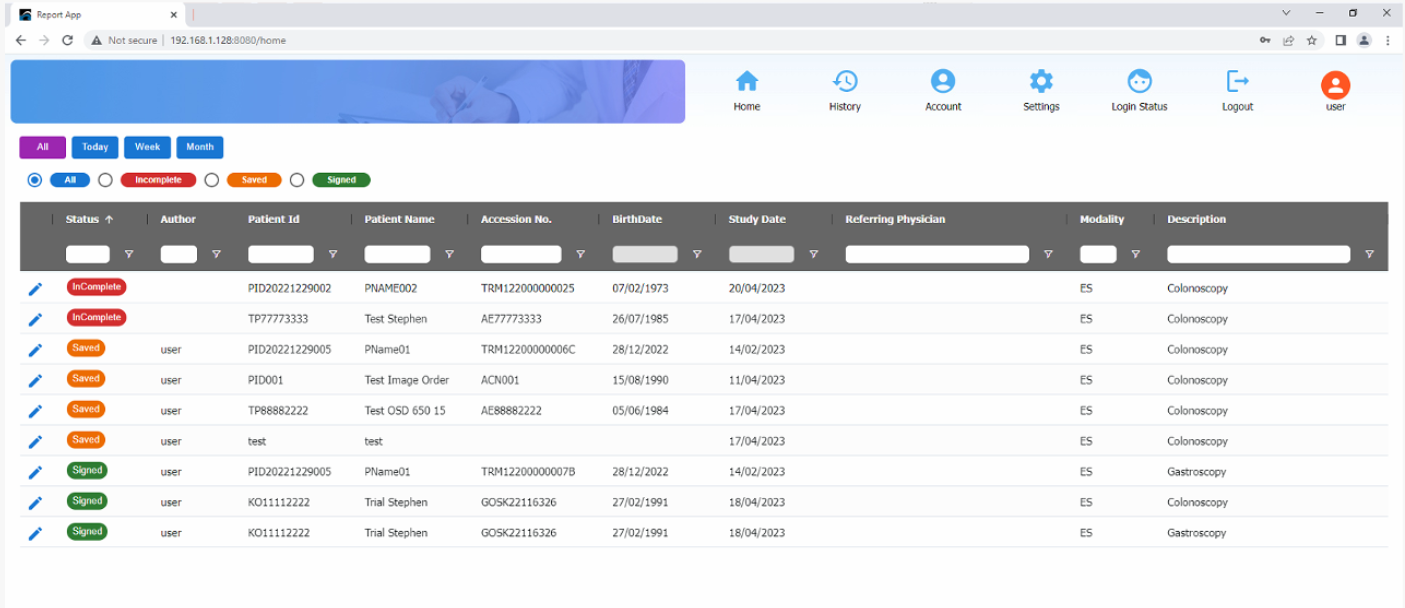
IMAGE ANNOTATION
Annotate Medical Images with Precision
Add text, lines and shapes directly to medical images to highlight and document clinical findings.
WORKFLOW
ISV-CAP Workflow
From Patient Selection to DICOM Distribution